





Categorized in:
Cvent | Support and Resources
October 1, 2026 by Melanie Jones
Cvent offers many resources for users, regardless of skill level. Search the knowledge base, take training, get certified, and more!
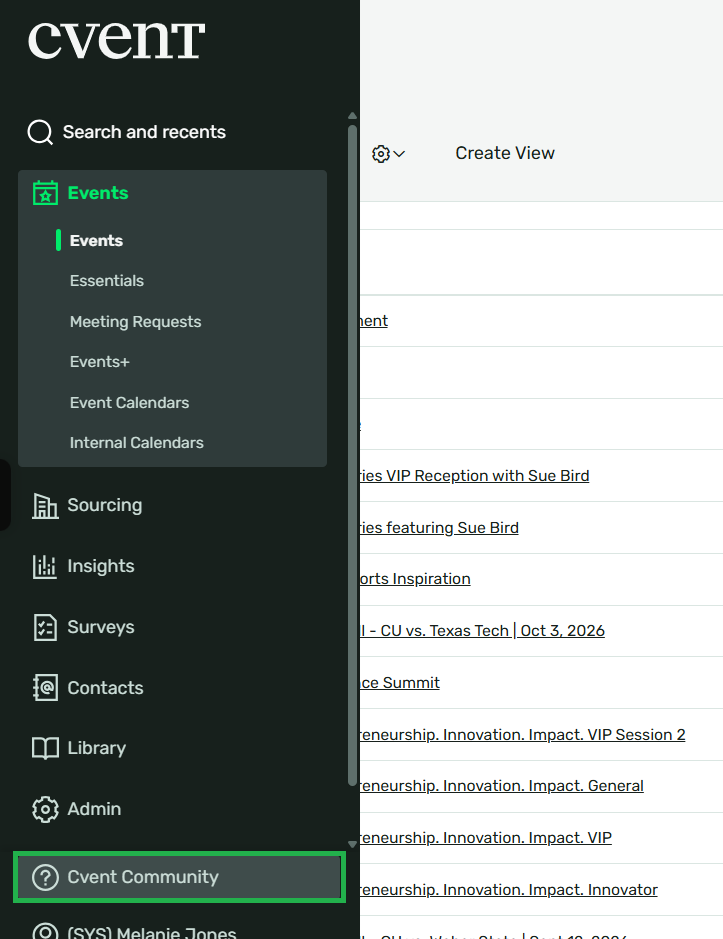
To navigate to Cvent support and resources, also known as Cvent Community, log in to your Cvent account and click Cvent Community in the bottom of the left navigation.
Cases
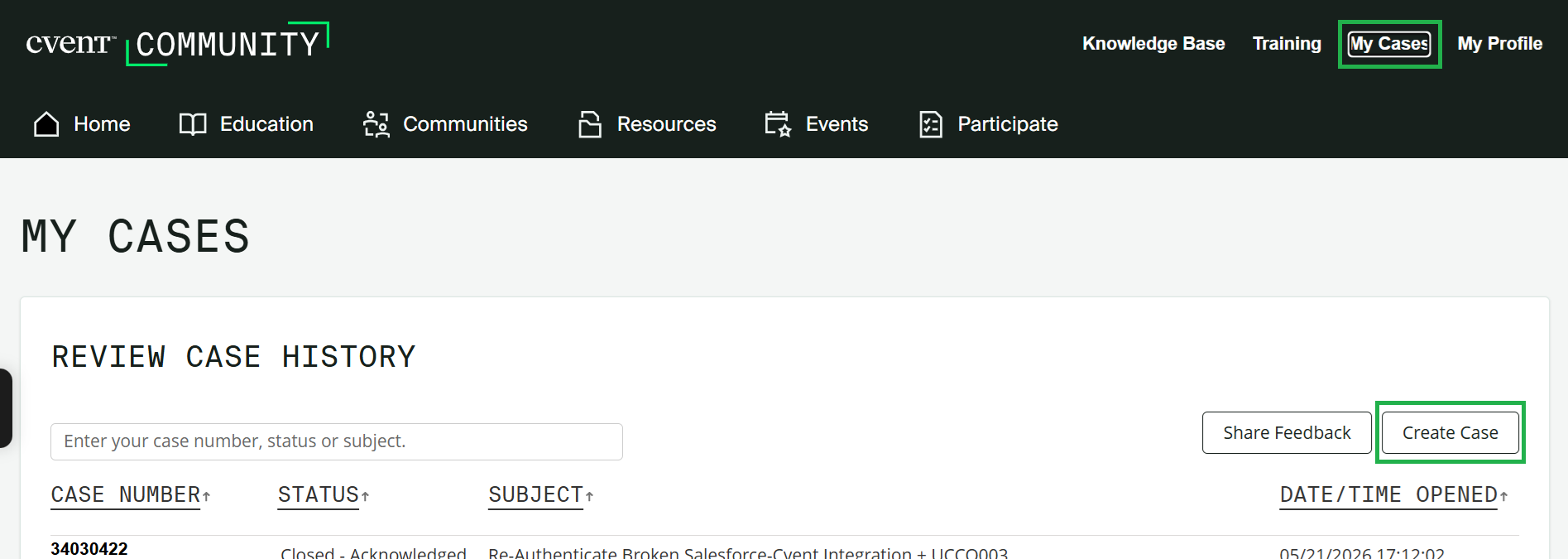
- Click My Cases in the top-right
- Here you can view existing cases
- Users can also Create Case, if you need help that a knowledge article can't address
- Use account code UCCO003 when submitting cases
Knowledge Base
Search Cvent's knowledge base for quick FAQ’s, step-by-step how-to articles, and video tutorials.
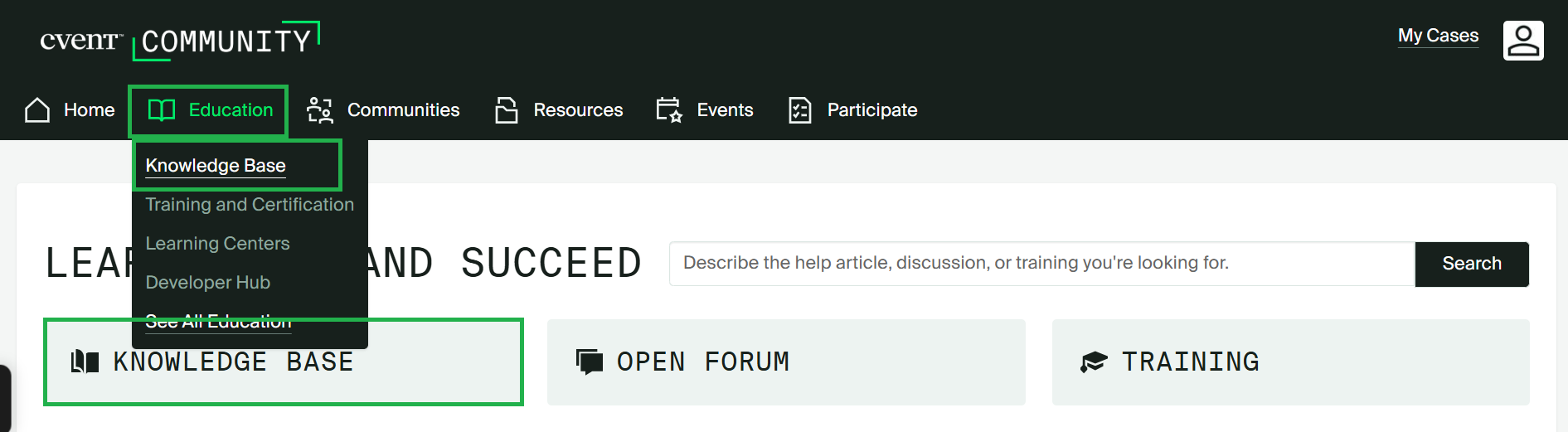
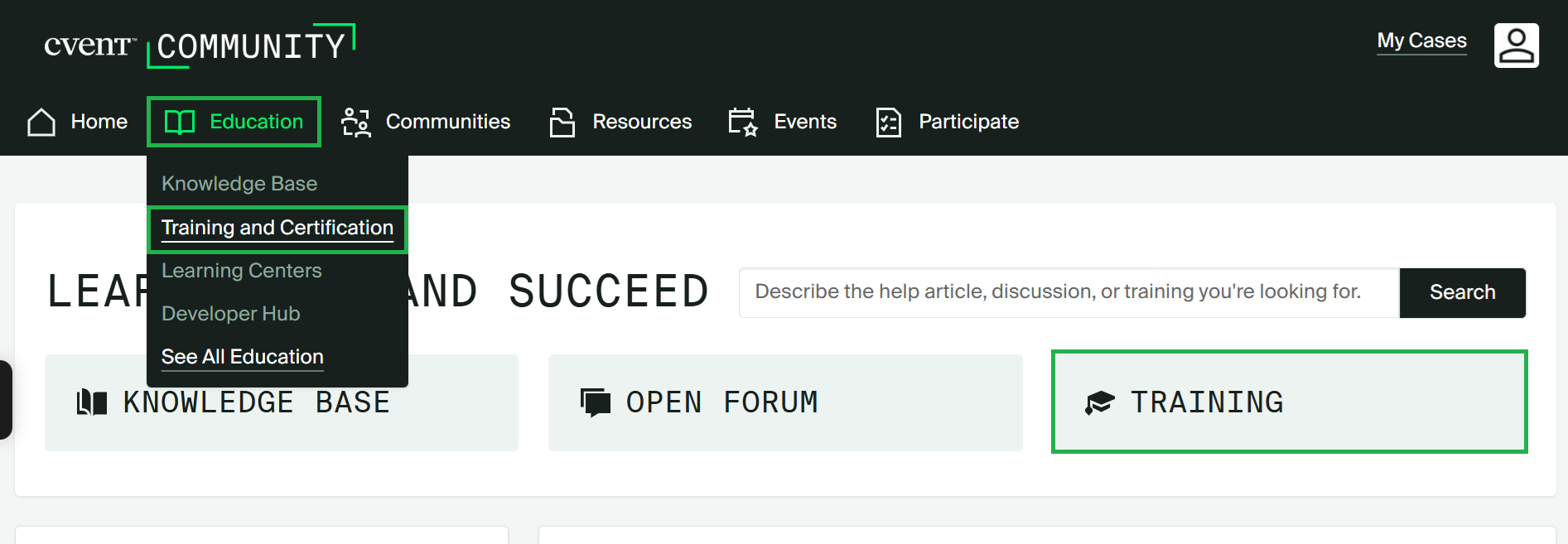
- From the Cvent Community page, click on Knowledge Base (found on the left or under Education in the navigation)
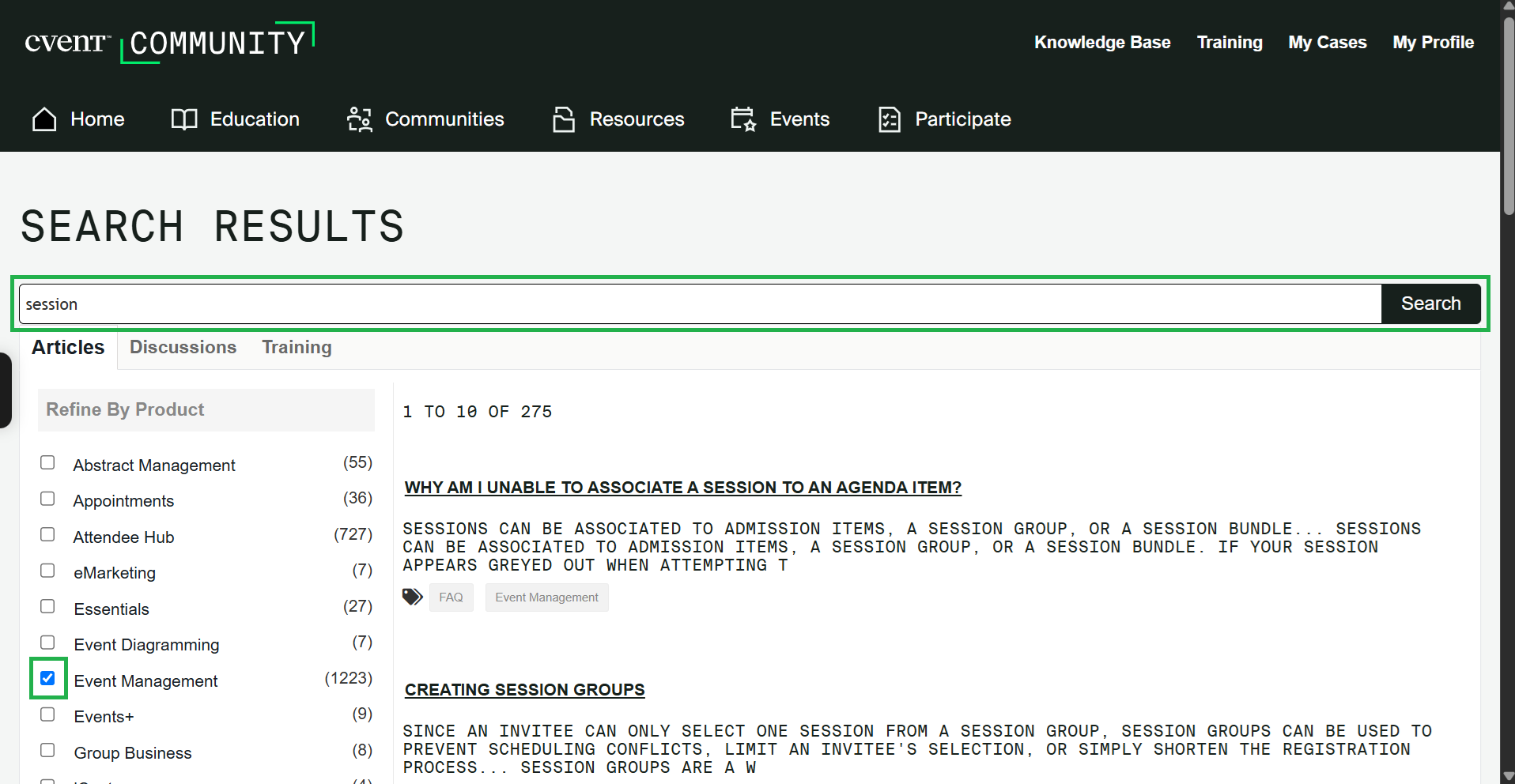
- Then use the search to find what you're looking for
- After searching, it's useful to filter results or Refine by Product (like 'Event Management')
Training & Certification
Search Cvent's knowledge base for quick FAQ’s, step-by-step how-to articles, and video tutorials.
- From the Cvent Community page, click on Training (found on the right or under Education in the navigation)
Account Code | UCCO003 You'll need CU's account code when logging in or contacting Cvent: UCCO003
Related Content
- What is Cvent? Where can I get an overview?
- What Cvent training is available?
- Where can I access Cvent on-demand training for a new user?
- Welcome to the New Experience!
- Contact Cvent Help & Support
- Access Event Templates
- Visibility | Share Event with Other Users
- Weblinks | Unique URL to Register for Event
- Manage Registrants (modify, cancel, etc.)
- Event Approval & Launch