




2026 HSA Special Enrollment
From 8 a.m. MT Monday, Oct. 12, to 5 p.m. MT Friday, Oct. 23, faculty and staff enrolled in CU Health Plan – High Deductible can enroll in a Health Savings Account (HSA) or update their 2027 HSA contributions in the employee portal. The Optum HSA webinar recording is available to watch through Oct. 23 Changes will be effective Jan. 1, 2027. Learn more below.
HSA Basics
Watch the HSA basics course
Ver el curso básico de HSA
Administered by Optum Bank, a Health Savings Account (HSA) allows you to pay for qualified health care expensesEligible ExpensePurchases or services received that are allowed by the benefit provider and complies with IRS regulations. now or in the future. HSAs offer three tax benefits: Tax-free saving, growth and spending on qualified health care expensesEligible ExpensePurchases or services received that are allowed by the benefit provider and complies with IRS regulations. any time from today through your retirement.
You contribute to the savings plan through payroll deductions on a pre-tax basis. These contributionsContributionIn reference to Flexible Spending Accounts and Health Savings Accounts, it’s the amount of money that you elect to be deducted from your paycheck to be deposited into your FSA or HSA account. lower your taxable income, and when you spend the money on qualifying expensesEligible ExpensePurchases or services received that are allowed by the benefit provider and complies with IRS regulations., you will not be taxed.
The money you put into an HSA rolls over from year to year – the money is yours to keep saved or spend on qualified health care expensesEligible ExpensePurchases or services received that are allowed by the benefit provider and complies with IRS regulations.. If you leave the university in any capacity, you will keep your HSA through retirement.
Plan details
HSA Open Enrollment 2026
Faculty and staff enrolled in CU Health Plan – High Deductible can enroll in an HSA or update their HSA contributions Oct. 12–23 within the employee portal. Explore what’s changing and set your contributions in the employee portal.
Any changes made during HSA Open Enrollment will be effective starting Jan. 1, 2027.
What is changing with CU’s Health Savings Account?
2027 contribution limits are increasing:
- Individual contribution limit is increasing by $100 to $4,500.
- Family contribution limit is increasing by $250 to $9,000.
- For those age 55 and over, you can contribute an additional $1,000 catch-up contribution.
Why choose a Health Savings Account?
- The money is yours. HSA funds never expire. Unused HSA funds roll over from year to year. You can continue contributing without having to meet an annual “use it or lose it” spending requirement, and the money remains in your account even if you stop contributing.
- This allows enrollees to save money over time for future medical expenses — whether anticipated or unexpected. Many account holders use an HSA to save money for medical expenses in retirement.
- Enrollees can invest their savings to increase their HSA balance, including a range of options such as high-yield savings accounts and other investment products.
Where can I learn more about a Health Savings Account?
Employee Services will host a webinar with Optum at 1 p.m. Thursday, Oct. 15, to explain the benefits and uses of an HSA and provide time to ask questions. Register for the webinar.
Who is eligible to enroll?
- Only participants in CU Health Plan – High Deductible may contribute to CU’s HSA.
- Participants may not be enrolled in both a Health Savings Account and a Health Care Flexible Spending Account (HCFSA).
When do 2026 Health Savings Account Open Enrollment changes take effect?
New enrollments and changes take effect Jan. 1, 2027.
How can I enroll in a Health Savings Account or change my contributions during open enrollment?
To either enroll in an HSA or make changes to your contributions:
- Login to my.cu.edu.
- From the CU Resources drop-down menu, select Benefits & Wellness.
- Click the Benefits Enrollment tile and either enroll or make changes to your contributions.
- After making an election, you will receive a confirmation email and can review your account in the Benefits Summary tile the following day.
Can employees still enroll/update contributions throughout the year?
- Yes. You can enroll or update your contributions at any time by contacting a benefit professional at 303-860-4200, opt 3, or by emailing benefits@cu.edu. Changes made by the 10th of a given month will be effective that same month.
- You can also make a lump-sum contribution by submitting an HSA Authorization Form to Employee Services.
What if I do nothing during the HSA Open Enrollment period?
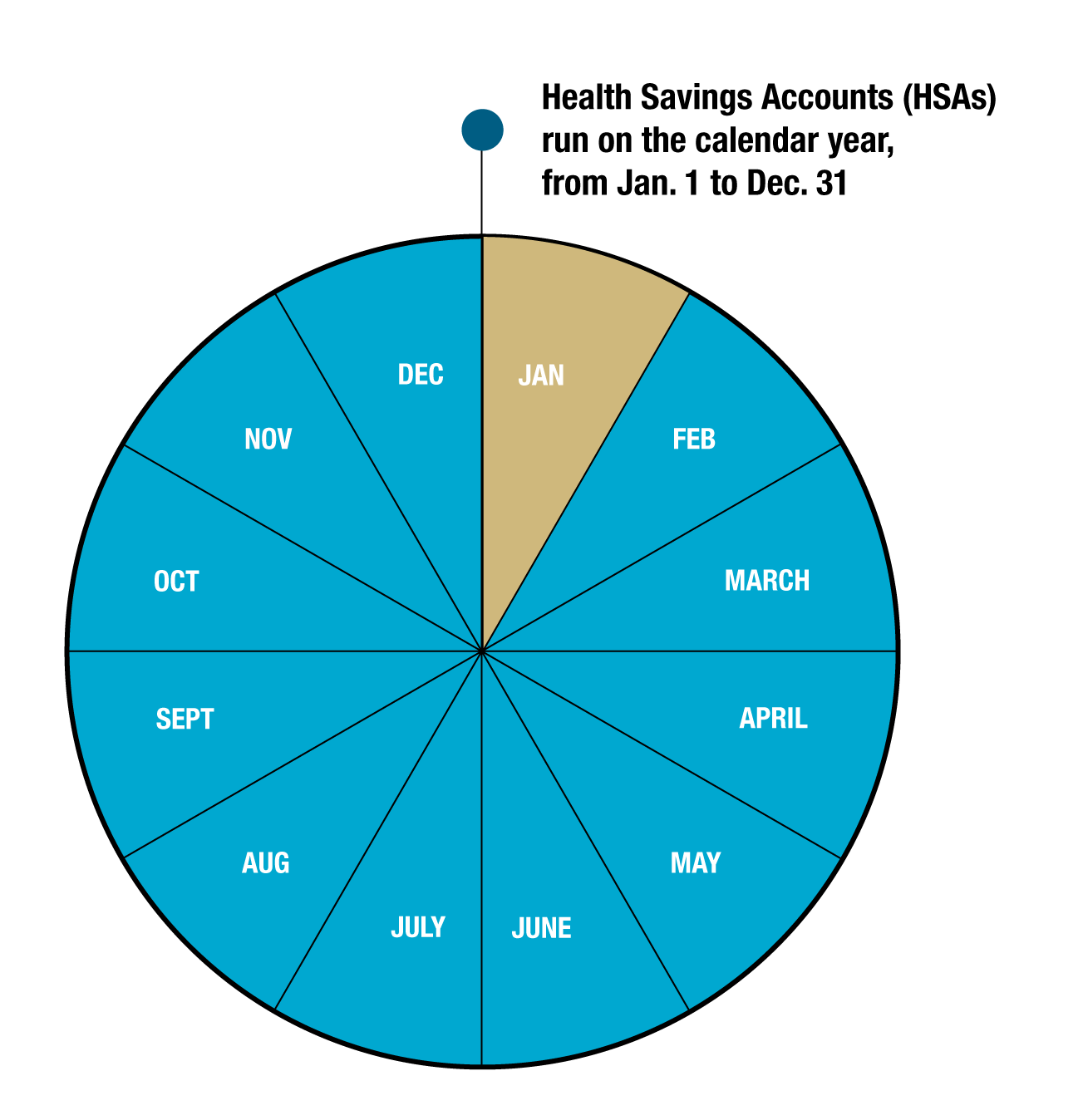
If you take no action, your current annual HSA contribution election will carry over to the new calendar year and be divided over 12 months.
Resources
All the following documents are available in English and Spanish
- Introduction to HSAs
- Qualified Medical Expenses
- Investing with your HSA
- Frequently asked questions: HSAs
- HSAs and Medicare
- See more on Optum's homepage
Videos
Tools
- Health Savings Checkup
- Prescription Savings
- Qualified Medical Expense Search
- Health Savings Account Calculators, which include:
- Maximum HSA Contribution
- HSA Contribution Details and Tax Savings
- HSA Future Value
Determine your contributions
How much is deducted each month?
Update your contributions
- You can enroll, cancel or make changes to your contribution at any time. For assistance with these changes, please contact a benefit professional by calling 303-860-4200, opt 3, or by emailing benefits@cu.edu.
- HSA Open Enrollment: Employee Services offers an HSA Open Enrollment every Fall where you can go directly to your employee portal to enroll or update your contributions for the following calendar year. Go to the Benefits & Wellness area and select the Benefits Enrollment to enroll. See instructions.
- You may also make a lump sum contribution by submitting the One-Time Lump Sum HSA Authorization Form to Employee Services.
Website
Visit the Optum website for more guides, videos and webinars.