

All UIS enterprise and business applications are in service at this time.
Service Status: Green



Sending an email to the wrong person or without an attachment is an easy mistake to make. Outlook's message recall feature lets you delete or replace a sent email — provided the recipient has not yet read it.
NOTE: Message recall does not work for emails sent through Outlook on the web, emails sent to recipients outside CU System or messages that have already been read.
1. Open your Sent Items folder and select the message you want to recall.
2. Double-click the message to open it in a new window.
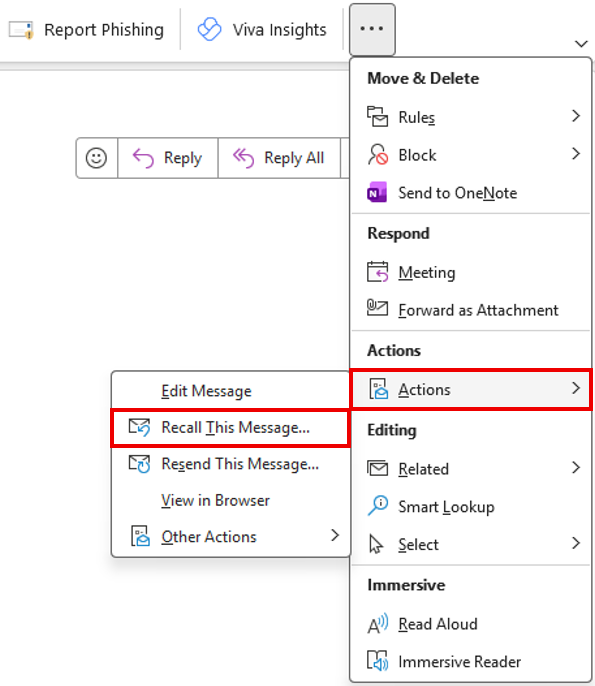
3. In the Message tab, select the More commands icon.

4. From the dropdown menu, select Actions, then Recall This Message.
5. In the dialog box, select one of the following options:
TIP: Check Tell me if recall succeeds or fails for each recipient in the dialog box to receive a confirmation email for each recall attempt.
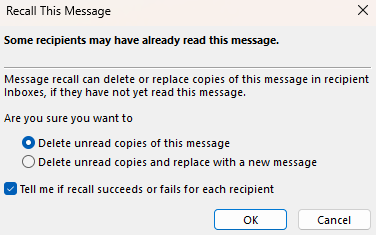
6. Select OK.
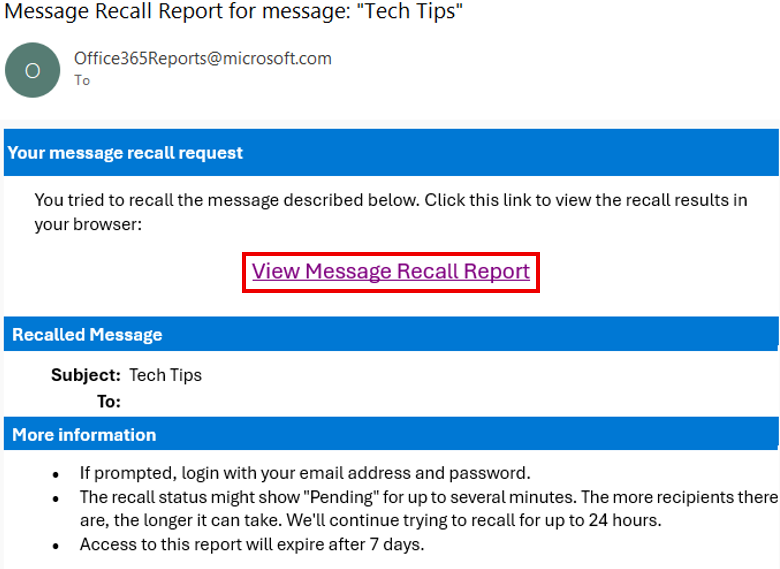
7. If you selected Tell me if recall succeeds or fails for each recipient, you will receive an email containing your message recall report. Click the link to view the results of the recall attempt.

Add new comment