

All UIS enterprise and business applications are in service at this time.
Service Status: Green



Outlook’s Viva Insights helps you work smarter with insights into your email and work habits. Its newest feature is email analytics. Learn how many people opened your email, the average time spent reading your email, and whether the email was forwarded or an attachment opened.
Viva Insights email analytics are only available for emails that are:
1. Select an email.
2. If Viva Insights is not already displayed in your Outlook ribbon, click the three dots icon in the top right corner of the ribbon toolbar.
 |
3. From the drop-down menu, select Viva Insights.
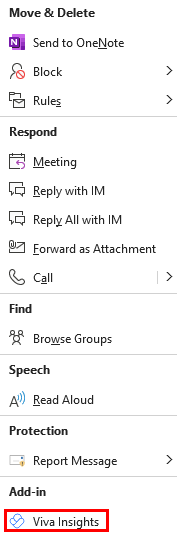 |
4. Review the analytics, including average time spent reading the email, the open rate and how many times it was forwarded.
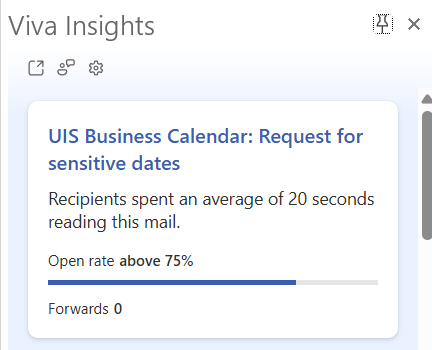 |
TIP: If you haven’t opened Viva Insights before, you will get a “Welcome!” message. Select Get started to view the analytics.

Add new comment