

All UIS enterprise and business applications are in service at this time.
Service Status: Green



Looking for a colleague’s email address, title, department or work hours? Microsoft 365 apps like Outlook and Teams make it simple to find and connect with anyone across System Administration, no separate directory required.
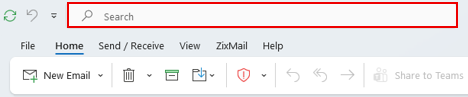
1. In Outlook, click into your Inbox and type a name or email address in the top search bar.

2. Double-click the person’s name or the contact icon to open their contact card, which shows their title, department, location, work hours and more.

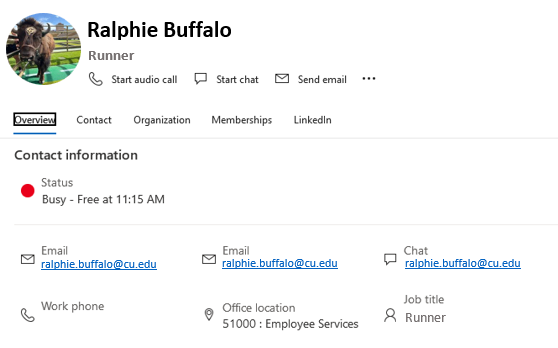
3. From the contact card, you can send an email, start a Teams chat or audio call, or schedule a meeting directly.
1. In Teams, type a name in the top search box to find a coworker.
2. Hover over their name and click the contact card icon to view their profile and start a call, chat or video meeting.
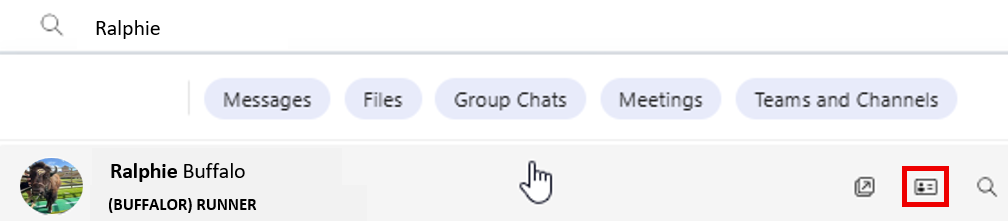
TIP: If you’re unsure of someone’s full name, try typing part of it. Outlook and Teams will suggest likely matches from across CU System.

Add new comment