Cvent | Re-Enter Email Address [1]
Did you know you can require registrants to enter their email twice while registering? This can help prevent registrants from moving too quickly and inputting an incorrect email address, which:
- prevents the registrant from getting relevant transactional emails about the event (like a registration confirmation or Know Before You Go)
- creates duplicates in Salesforce, requiring manual clean-up and fragmented Contact records
As a best practice, all templates [3] now have this enabled. We also recommend any events launched in the future have "Display re-enter Email Address" enabled.
To enable this in your event:
- Navigate to your event's website >> Personal Information page.
- On the canvas, click the Email Address widget. Additional options will appear to the right.
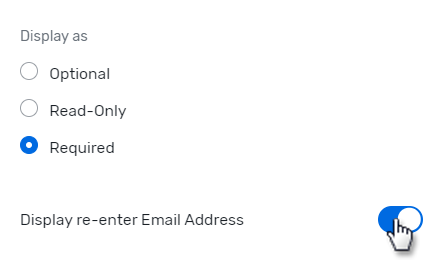
- In the Configuration Options section, toggle "Display re-enter Email Address" to blue/on.
- Once you're done, click Save to save the draft or click Publish to make it visible to invitees.
Display Title:
Cvent | Re-Enter Email Address
Send email when Published:
No