Salesforce Email Send Data [1]
Marketing Cloud sends Email Send data to Salesforce after a send is complete. You can access valuable data like overall Open/Click rates, whether someone opened or clicked on an email, and which of your links was the most popular.
Viewing Marketing Cloud Email Send Data in Salesforce
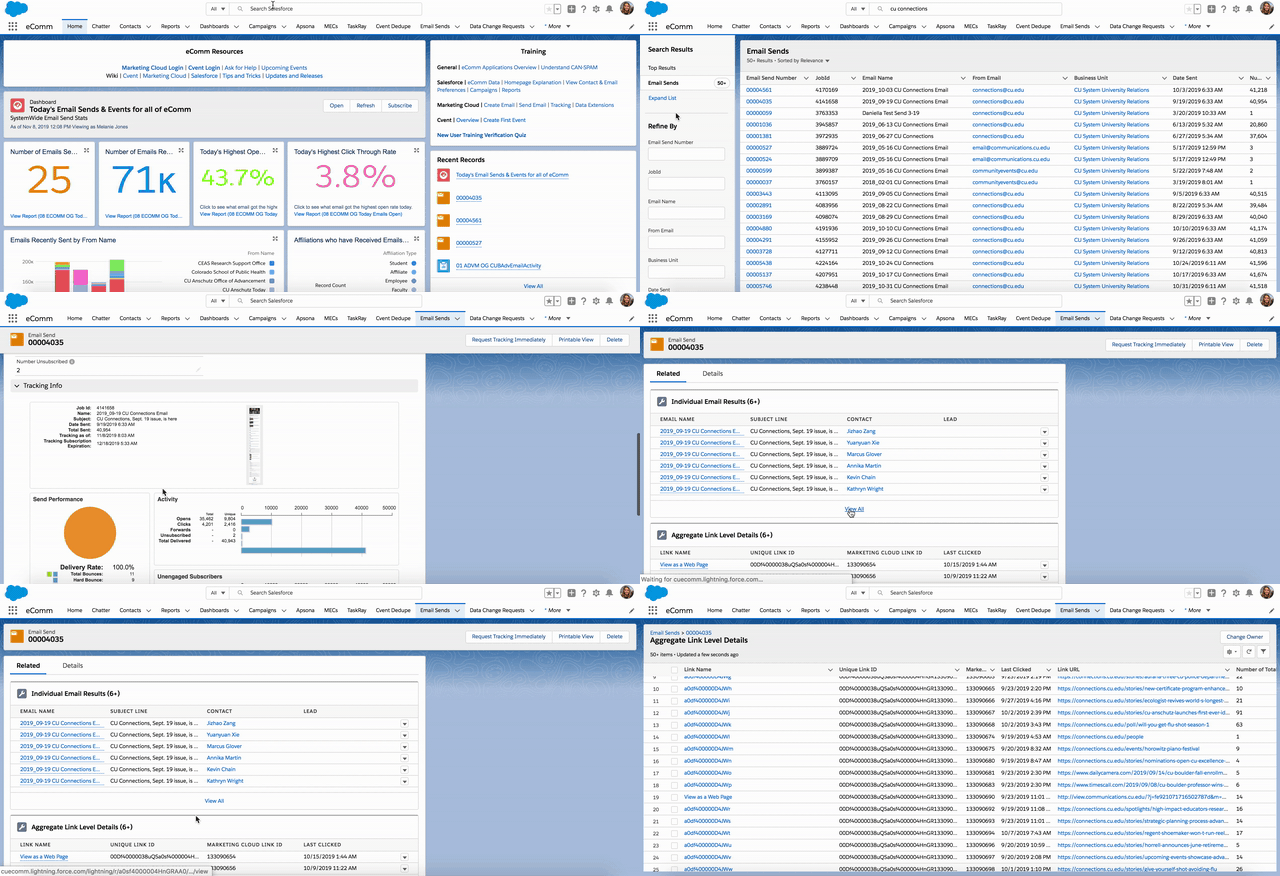
- Search for your Email Send in the Global Search Bar at the top of the page
- Select Email Sends in the Global Search Bar or on the left Search Results column
- You can search by Email Name, From Email, Subject Line, or Job ID (found in the Tracking section in Marketing Cloud), among others
- Click on Email Send Name
- Scroll through the Details tab to see send statistics about your email
- The Related tab provides Individual Email Results and Aggregate Link Level Details [3]
NOTE If you've sent your email to a report, you'll be able to view the report names used in Salesforce. Sends to Data Extensions; however, will not be visible.
Related Content
- Compare Salesforce & Marketing Cloud Data [4]
- Marketing Cloud Tracking [5]
- Intelligence Reports Overview [6]
- Marketing Cloud | How-to Use Intelligence Reports [7]
- Marketing Cloud Einstein [8]
- Salesforce Individual Email Results (IERs) & Individual Link Level Details [3]
- Measuring Email Marketing Effectiveness [9]
Display Title:
Salesforce Email Send Data
Send email when Published:
Yes