Add your name pronunciation to your Microsoft Teams profile [1]
Microsoft Teams now allows you to record your name pronunciation, promoting clearer communication and inclusivity across meetings and chats.
To add a recording:
1. Open a Teams chat and select your profile photo within the chat window.
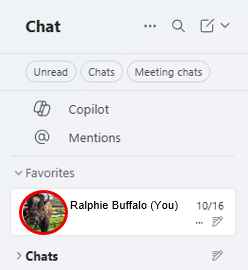
NOTE: You must select a chat to access name pronunciation; it is not available from the main profile.
2. In your profile window, select the microphone icon next to your name.

3. Follow the prompts to record and save your name pronunciation.
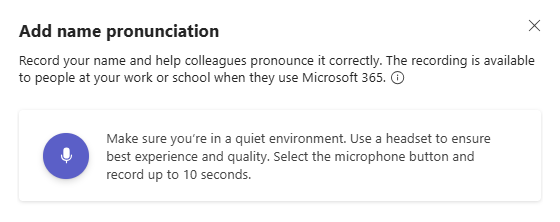
Once saved, your pronunciation recording will appear on your Teams profile for others to hear when they view your details. Select a user’s profile picture from a chat to hear their pronunciation.

You can re-record or remove the pronunciation clip at any time by returning to your chat profile and repeating these steps.
Learn more about Microsoft Teams’ accessibility and personalization features by reviewing our previous Teams tips [3].