Campus Solutions PeopleTools Upgrade 2026 [1]
On Oct. 26, a CU-SIS Campus Solutions PeopleTools upgrade will deliver new features that will make it easier to find what you need, solve minor inconveniences and save commonly-used transactions.
Highlights:
- New search capabilities: Search suggestions will now be grouped within the Global Search bar along with Recently Visited suggestions to access old searches quickly.
- My Favorite Searches: Users can favorite and organize saved component searches.
- Disable email for empty queries: If a scheduled query returns no results, you can stop an email from being sent.
- Add a Header and Footer Message in a Query: Query developers can configure headers and footers to display when queries are run to HTML.
Can't see the changes after Oct. 25? Clear your cache [2] to see the updates.
Expanded Search Capabilities
Search suggestions will now be grouped within the Global Search bar along with Recently Visited suggestions to access old searches quickly. Up to five recent searches will display.
Explore the hotspot to see the changes:
My Favorite Searches
Have a component search you use every week? Save an extra step and favorite frequent component searches . Favorite searches will then appear in My Favorites Searches under Favorites.
Users with saved component searches can organize their favorite searches using My Favorite Searches. Clicking on a saved search in My Favorite Searches will launch the component and execute the search.
Users who currently have saved component searches will receive more information by email.
Disable Emails for Empty Queries
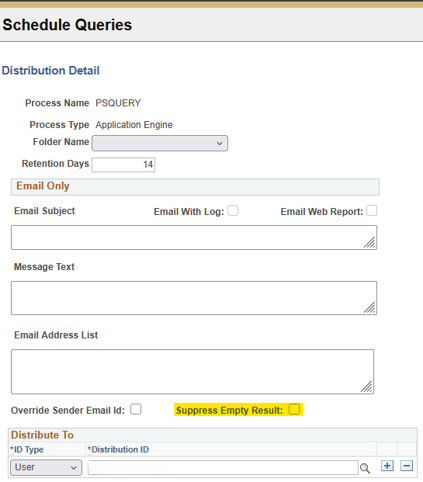
Users scheduling queries and distributing query results by email can check the Suppress Empty Result checkbox under Distribution Detail when scheduling to prevent an email message from being sent if a query returns no results.
When this checkbox is not selected, an email is sent with a subject of "No matching rows were found." The Suppress Empty Result checkbox is unchecked by default.
Users who currently distribute Scheduled Query results by email will receive more information by email.
Click the image to enlarge.
Header and Footer Message in PS Query
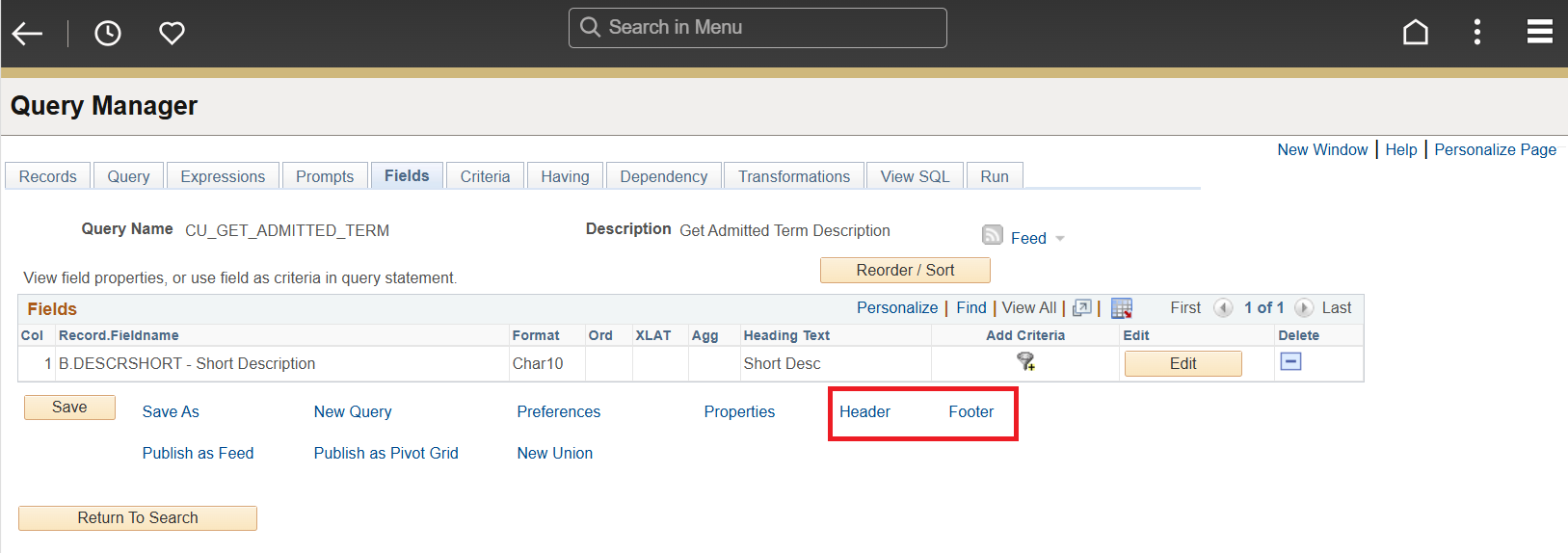
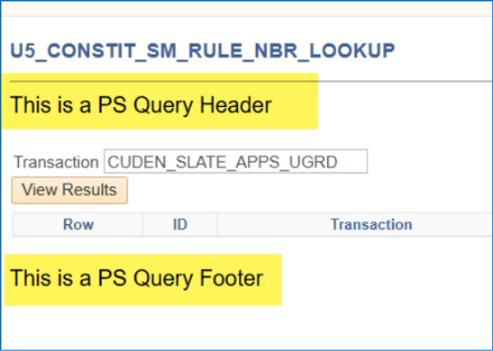
Query developers can configure headers and footers to display when queries are run to HTML. The headers and footers can be Message Catalog messages or static text.
Query developers will receive more information by email.
Click the image to enlarge
Click the image to enlarge.