FIN How-to: ChartField Lookup [1]
You can look up ChartField values like Orgs, Programs, Projects, and Accounts in the Finance System to learn more about them.
Read the Procedures
- Log into the Finance System.
- From the Finance & Accounting homepage, click the Chartfield/SpeedType Setup tile.
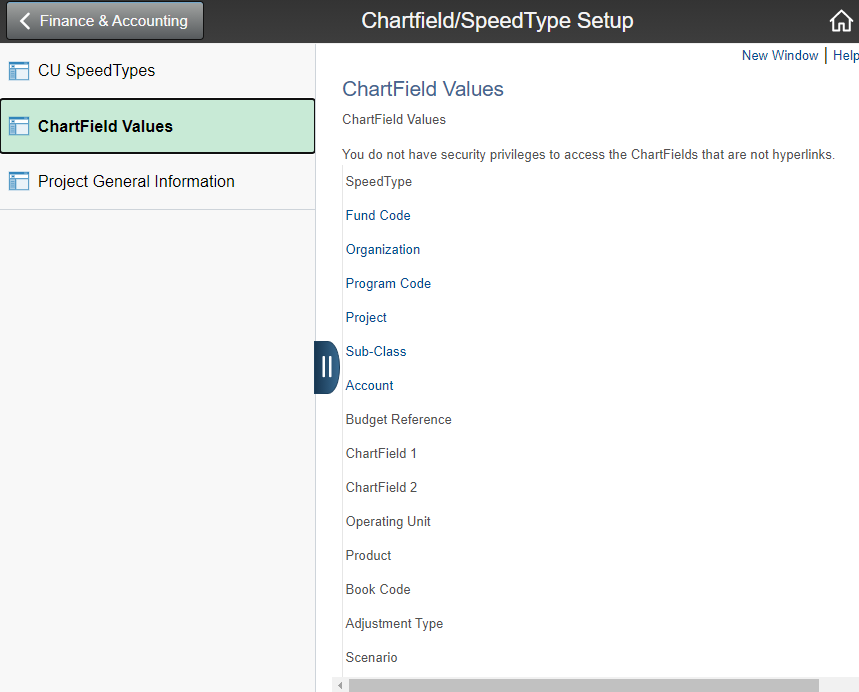
- Using the menu on the left, select ChartField values.
- Click on one of the hyperlinked ChartFields to open the search page.
For questions or feedback contact Have a question or feedback?