Pin it once — use it forever with Windows Clipboard [1]
Windows Clipboard can help you work more efficiently and save you time. This built-in tool allows you to copy frequently used text, code or images and access them any time after you’ve pinned them to your Clipboard.
Here’s a sampling of options:
- Text: Most common use, including plain and formatted text.
- Images: From web pages and documents.
- Links: Pasted links will be clickable.
- HTML: Supports HTML content, useful for web development and management or copying rich text.
- Screenshots: Capture the entire screen (Print Screen) or the active window (Alt + Print Screen) and paste it from the clipboard.
Using Clipboard
Press Windows + V to and click Turn on to enable Clipboard for the first time.
To access your Clipboard history at any time, simply press Windows + V again. Click any item in the list to paste it wherever you need.
Clipboard is limited to 25 entries and will automatically clear the oldest entry when this limit is reached. However, you can pin items to retain them by clicking the pin icon.
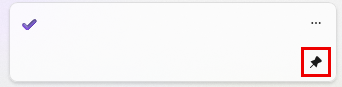
Your Clipboard history gets cleared each time you restart your PC, except for the items you’ve pinned.
TIP: To remove older entries, select Clear all at the top of the Clipboard panel.
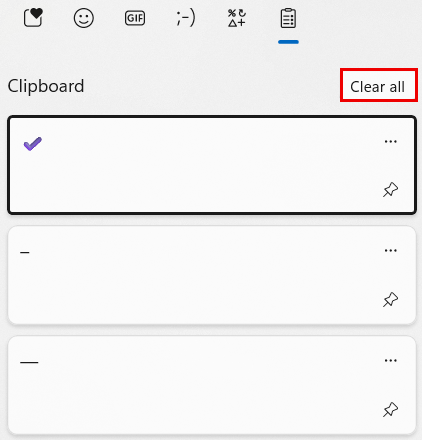
Pin frequently used items to save time
Pinning frequently used items is a great way to streamline your work and save yourself the headache of constantly navigating through many windows for the same items. Examples include:
- A Teams or Zoom URL you regularly use.
- Your personal Zoom meeting ID, helpful for meeting on short notice.
- Common symbols and icons like the em dash (—), en dash (–) and checkmark (✔).
- Excel how-to’s, quick commands or code snippets.
- A standard email response or signature block.
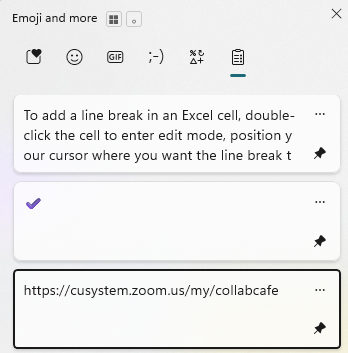
Clipboard History works across Microsoft 365 apps like Outlook, Word, Excel and Teams, so you can copy a snippet from one app and paste it into another without losing it along the way.
Once you begin pinning your most-used items, Clipboard becomes a reliable shortcut for quick access to the content you use every day.